
You need to have windows operating system installed on your computer.
HOSTING PANEL
ANY HOSTING PANEL WITH SSH OR FTP
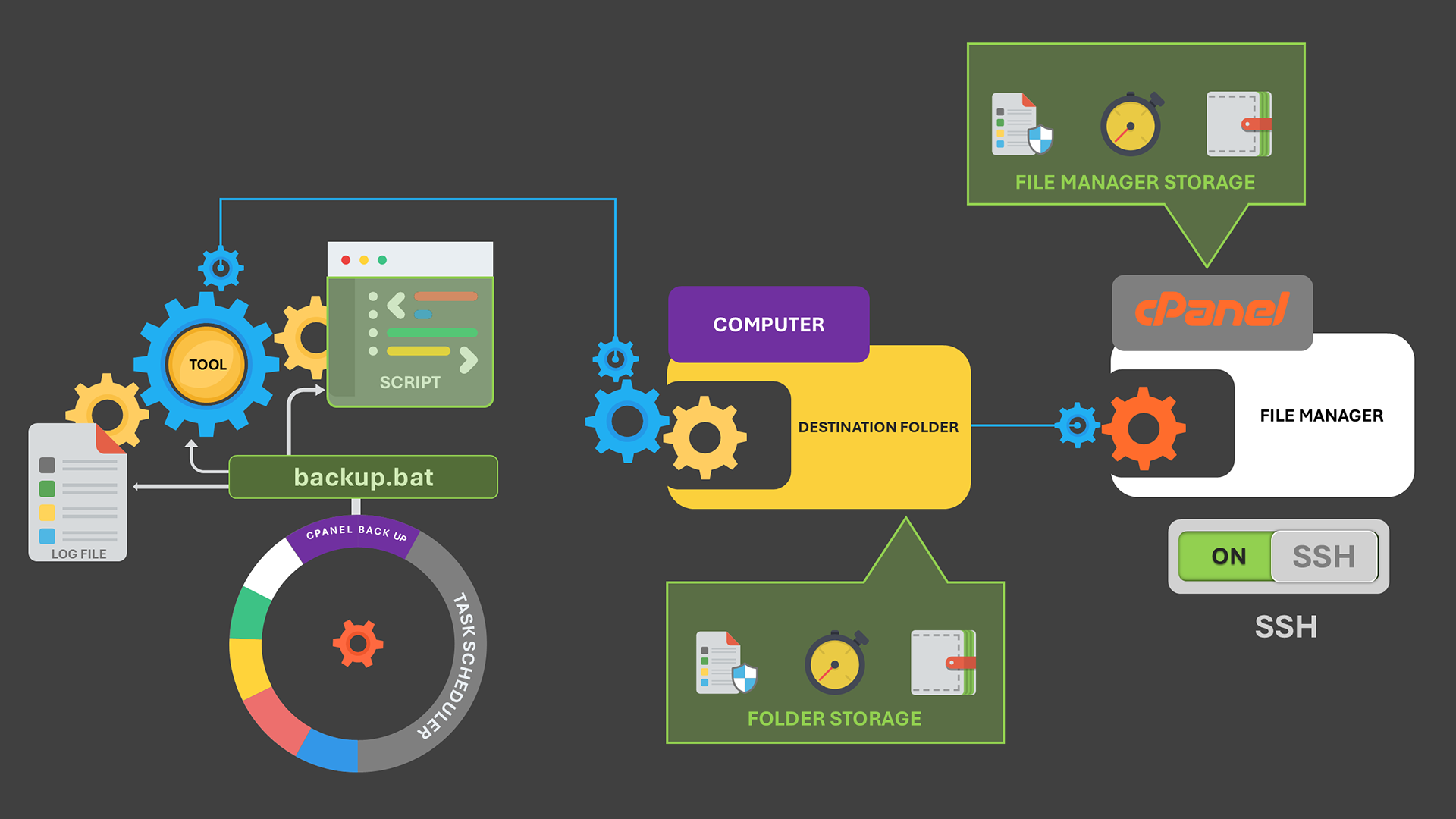
Any Hosting panel with SFTP, SCP Protocols over SSH, Or FTP support is needed. In this post, we'll implement the backup with Cpanel with SFTP protocol over SSH.
Create a text file with script below and save it as ssl_upload_script.txt
Language: Batch
open sftp://your_cpanel_username:your_cpanel_password@your-cpanel-server.com -hostkey="ssh-rsa 2048 xxxxxxx"
lcd "C:PathToLocalSSL"
cd /home/your_cpanel_user/ssl/
put cert.pem /home/your_cpanel_user/ssl/certs/
put privkey.pem /home/your_cpanel_user/ssl/keys/
put fullchain.pem /home/your_cpanel_user/ssl/cabundles/
exit
BATCH FILE SCRIPT (Trigger)
Create a text file with the script below and save it as tigger.bat. This script will generate SSL files and upload.
Language: Batch
@echo off
setlocal enabledelayedexpansion
:: Define domain and paths
set DOMAIN=yourdomain.com
set SSL_DIR=C:PathToLocalSSL
set ACME_CHALLENGE_DIR=C:PathToLocalACME-Challenge
set LOGFILE=C:ssl_process_log.txt
set CPANEL_USER=your_cpanel_username
set CPANEL_PASS=your_cpanel_password
set CPANEL_HOST=your-cpanel-server.com
echo Starting SSL automation process... >> "%LOGFILE%"
:: Step 1: Obtain SSL Certificate with Win-ACME
echo Running Win-ACME for %DOMAIN%... >> "%LOGFILE%"
wacs.exe --target manual --host %DOMAIN% --validation filesystem --webroot %ACME_CHALLENGE_DIR% --certificatestore My --accepttos --force >> "%LOGFILE%" 2>&1
if %errorlevel% neq 0 (
echo [ERROR] SSL issuance failed. Check logs. >> "%LOGFILE%"
exit /b
)
:: Step 2: Upload SSL files using WinSCP script
echo Uploading SSL files via WinSCP... >> "%LOGFILE%"
winscp.com /script=C:ssl_upload_script.txt
if %errorlevel% neq 0 (
echo [ERROR] SSL upload failed. >> "%LOGFILE%"
exit /b
)
:: Step 3: Install SSL using cPanel API
echo Installing SSL via cPanel API... >> "%LOGFILE%"
curl -u "%CPANEL_USER%:%CPANEL_PASS%" ^
--request POST "https://%CPANEL_HOST%:2083/execute/SSL/install_ssl" ^
--data "domain=%DOMAIN%&cert=$(type %SSL_DIR%cert.pem)&key=$(type %SSL_DIR%privkey.pem)&cabundle=$(type %SSL_DIR%fullchain.pem)"
if %errorlevel% neq 0 (
echo [ERROR] SSL installation failed. >> "%LOGFILE%"
) else (
echo [SUCCESS] SSL successfully obtained, uploaded, and installed! >> "%LOGFILE%"
)
exit /b
Then finally Schedule.
Use Windows Task Scheduler to automate the process to execute trigger.bat file at your preferred intervals.