
+91 9959708805
Email: contact@tecxtreme.com
TECXTREME
Vasavi's Indra Prastha, 7-2-1813/5/A/1, Flat no. 542, Czech colony, Street no.1, Sanathnagar, 500018, Hyderabad, Telangana, India
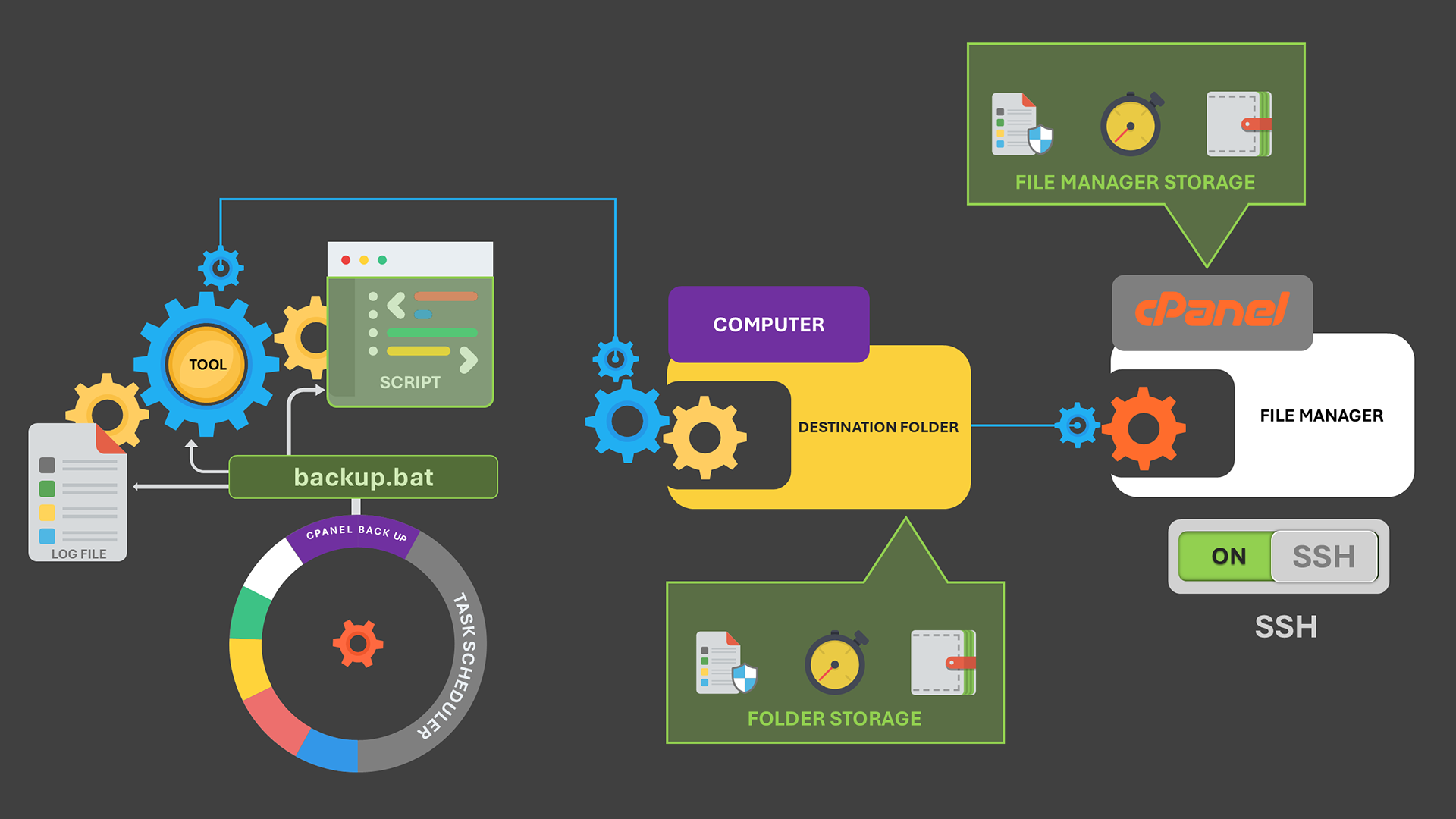
How to Auto-Renew your Website’s Let’s Encrypt SSL from your Computer.
open sftp://yourusername:yourpassword@yourserver.com -hostkey="ssh-rsa 2048 xx:xx:xx..."

lcd C:\Path\To\Local\SSL\Directory  # Change this to your actual local path

# Upload SSL certificate
cd /home/youruser/ssl/certs/
put certificate.pem

# Upload Private Key
cd /home/youruser/ssl/keys/
put private_key.pem

# Upload CA Bundle (if required)
cd /home/youruser/ssl/certs/
put ca_bundle.pem

exit
@echo off
setlocal enabledelayedexpansion

:: Set the domain name (Modify this)
set DOMAIN=yourdomain.com

:: Define local SSL directory (update this if needed)
set SSL_DIR=C:\Path\To\Local\SSL\Directory
set LOGFILE=C:\ssl_renew_log.txt

:: Run Win-ACME renewal for the domain
wacs.exe --renew --force --target manual --host %DOMAIN%
if %errorlevel% neq 0 (
    echo [ERROR] SSL renewal failed for %DOMAIN%. >> "%LOGFILE%"
    exit /b
)

:: Rename SSL files for clarity
ren "%SSL_DIR%\%DOMAIN%-crt.pem" certificate.pem
ren "%SSL_DIR%\%DOMAIN%-key.pem" private_key.pem
ren "%SSL_DIR%\%DOMAIN%-chain.pem" ca_bundle.pem

:: Run WinSCP upload script
winscp.com /script=C:\upload_script.txt
if %errorlevel% neq 0 (
    echo [ERROR] SSL upload failed for %DOMAIN%. >> "%LOGFILE%"
    exit /b
)

:: Install SSL using cPanel API
echo Installing SSL for %DOMAIN%...

curl -u "cpanel_username:cpanel_password" ^
     --request POST "https://your-cpanel-server:2083/execute/SSL/install_ssl" ^
     --data "domain=%DOMAIN%&cert=$(cat %SSL_DIR%\certificate.pem)&key=$(cat %SSL_DIR%\private_key.pem)&cabundle=$(cat %SSL_DIR%\ca_bundle.pem)"

if %errorlevel% neq 0 (
    echo [ERROR] SSL installation failed for %DOMAIN%. >> "%LOGFILE%"
) else (
    echo [SUCCESS] SSL installed for %DOMAIN%. >> "%LOGFILE%"
)

echo SSL renewal, upload, and installation completed for %DOMAIN%.
exit /b